01Discovery
Start with companies worth researching.
Find companies similar to ones you know, look up websites, or import a list. Review your shortlist before adding it to Pipeline. Discovery does not start outreach.
ONE CONNECTED WORKSPACE
Find companies that fit. Bring their research and your product knowledge into every draft. Review the message before deciding what goes out.
Find companies similar to ones you know, look up websites, or import a list. Review your shortlist before adding it to Pipeline. Discovery does not start outreach.
Import target companies, research them against your criteria, and keep sources and contacts beside the next action. Import existing customers to protect them from prospecting.
Save rules over the companies in Pipeline. Research updates which companies match; missing evidence stays visible. Joining an audience never starts outreach.
04 · Brain
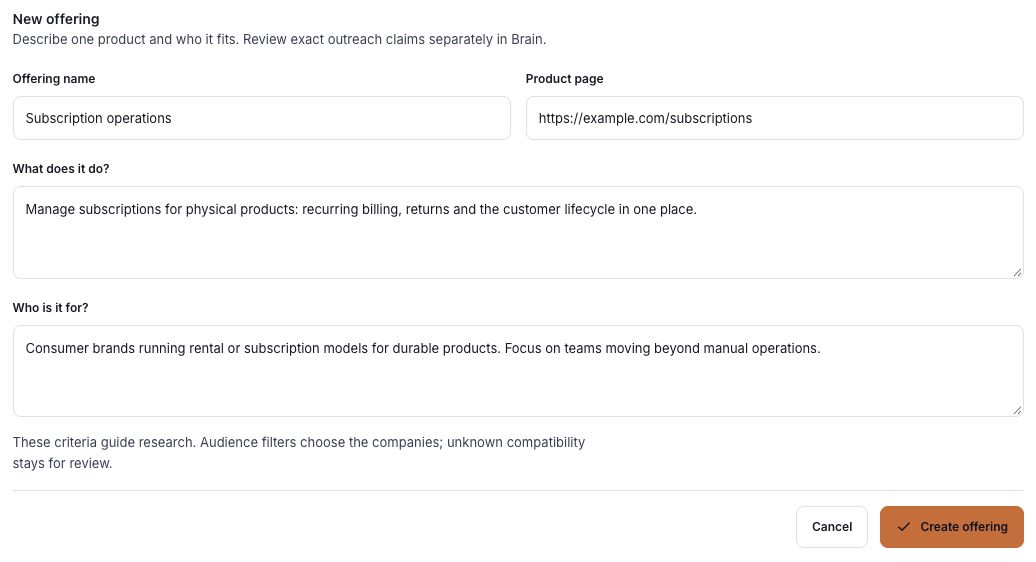
Keep your offering, audience, voice, and published claims together. Reuse approved product knowledge in each play, so the context behind every draft stays clear.
05 · Plays
Connect an audience, a product, and a relevant angle. Prepare outreach grounded in each company’s saved evidence, then reuse the play for the next qualified account.
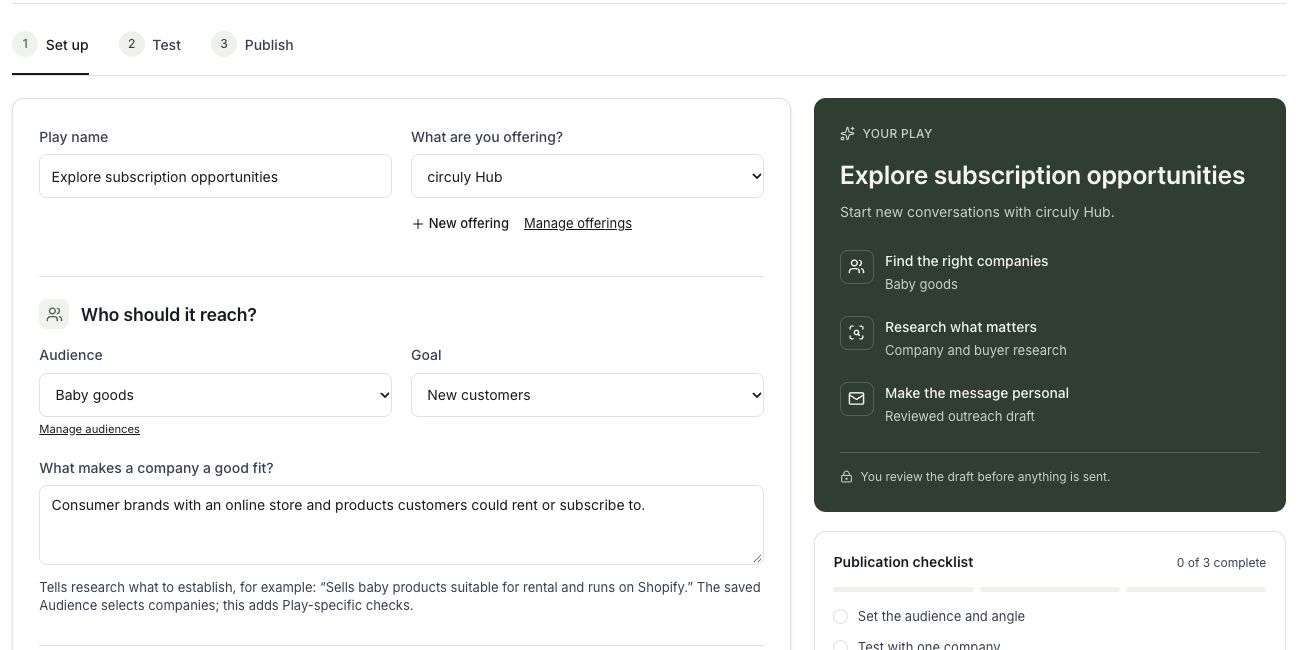
Review the exact message and any product image together. Edits require a new approval. Test to your own inbox before handing approved outreach to Smartlead.
Review replies and saved drafts by company, channel, and thread. Keep the company’s evidence close as you decide what happens next.
Connect research and contact providers in Settings. The current Plays workflow hands approved email to Smartlead, which owns the sending schedule. Approval alone does not send a message.
Connected providers have their own subscriptions and limits. Castia is the workspace where you prepare and review the work.